
Grok Bot launched on August 11 and it is the most interesting agent product to ship this year, for a reason that has nothing to do with model quality.
Most AI tools live inside a chat window. You ask, they answer, you go do the work. Grok Bot puts each agent on a persistent cloud computer, signs it into the tools you already use, and lets it keep working after you close your laptop. Crucially, it drives software through the interface the way a person does, which means it reaches the platforms that have no clean API and no MCP server.
That last part is why marketers are paying attention. An enormous amount of real marketing work happens in systems that were never built to be automated.
The product is good. The setup pattern that has spread alongside it is not, and the evidence for that is in xAI's own documentation.
First, what it is genuinely good at
xAI documents eight use cases, and they are more specific than the usual vendor gestures. The ones with the clearest payoff:
Paid media monitoring. Watch campaigns against target acquisition cost and propose budget reallocations, pulling from ad platforms, analytics, budget spreadsheets, and Slack.
Sales outbound. Research accounts in a CRM view, score them against an ideal customer profile, identify contacts, and draft the outreach.
Account health. Rank customers by risk and expansion signal across CRM, usage data, support tickets, and billing.
Expense reconciliation. Reconcile the week, flag policy exceptions, draft the follow-up emails to the people who need to fix something.
Chief of staff. Digest activity across approved channels against stated priorities, and land a Monday scoreboard so the week starts oriented.
There are two features underneath these worth knowing about. Skills are reusable instruction sets, when to use something, what access it needs, the sequence, how to validate the result, and what requires approval. Routines run those on a schedule or on a trigger, capped at fifty per Bot. And "teach a task" lets you demonstrate a browser workflow instead of describing it, recording up to ten minutes of screen interaction.
One caveat on that last one, straight from the docs: the learned skill is a draft. You still have to add the decision rules, the failure handling, and the approval boundaries yourself. A recording captures what you did. It does not capture what you would have done if the number had looked wrong.

The prompt pattern that matters more than the tool
Buried in xAI's security documentation is the single most useful thing on the entire site, an example prompt that happens to be a paid media task:
"Reconcile the campaign data and draft a recommended budget change. Do not change the campaign or message the agency. Ask for approval after showing the current value, proposed value, and expected impact."
Look at the structure, because it generalizes to everything:
- The work to do, reconcile and draft.
- The explicit prohibition, do not change the campaign, do not message the agency.
- The approval, with named fields, show current value, proposed value, expected impact.
Most people write the first line and stop. The second line is what keeps a capable agent inside its lane, and the third is what makes the approval reviewable rather than a reflex. An approval request that says "proceed?" gets clicked. One that shows current, proposed, and expected impact gets read.
If you take one thing from this piece into your own setup, take those three lines.
Now the part that changes how you configure it
Because the product is described as a team, people staff it like one. Scroll any Grok Bot thread and you will find the same screenshot: a tidy roster of specialists. A sales Bot. A paid media Bot. A finance Bot. A support Bot.
It looks like separation of duties. Here is what the documentation says it is:
"All of your Bots share one cloud computer assigned to your user account. Files, browser sessions, and command line credentials on that computer are available across your Bot roster."
And, on the page describing how Bots reach apps:
"Browser cookies and signed-in sessions are shared. Signing in for one Bot makes the session available to your other Bots."
Then, in bold and unambiguous terms:
"Do not use separate Bots as a security boundary."
That is not an outside criticism. That is xAI describing its own architecture, accurately, on its own docs site, which is more candor than most vendors offer.
But it invalidates the mental model the product name sells you. On a real team, separation of duties is structural. Your media buyer cannot open payroll because the permission does not exist. In Grok Bot, that separation is a naming convention on top of one machine where every login any Bot has opened is still live.
You did not hire four teammates with four sets of credentials. You configured four personas on one workstation that holds all of them.
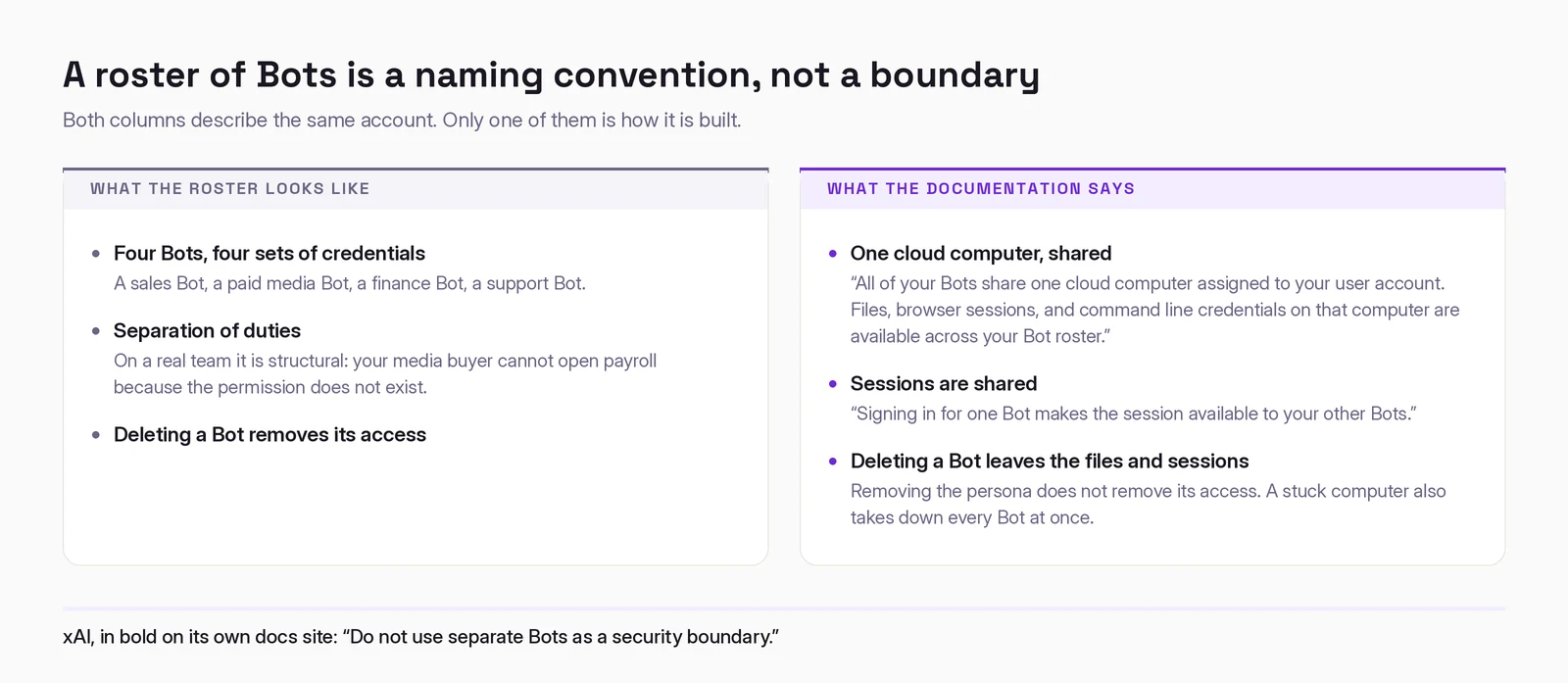
This has a practical failure mode too, and it has already been reported: because the compute is shared, a stuck computer takes down every Bot on the account at once. The roster is not just undivided for security purposes. It is undivided for reliability purposes.
Approvals are a stop button, not an undo button
The second line worth internalizing sits in the same document:
"An approval controls the proposed action. It does not reverse work already completed."
The industry has broadly settled on "human in the loop" as the answer to agent risk. That sentence is the fine print on the promise. Approval gates the next step. Everything upstream already happened. If you approve at step nine, steps one through eight are not pending review; they are done.
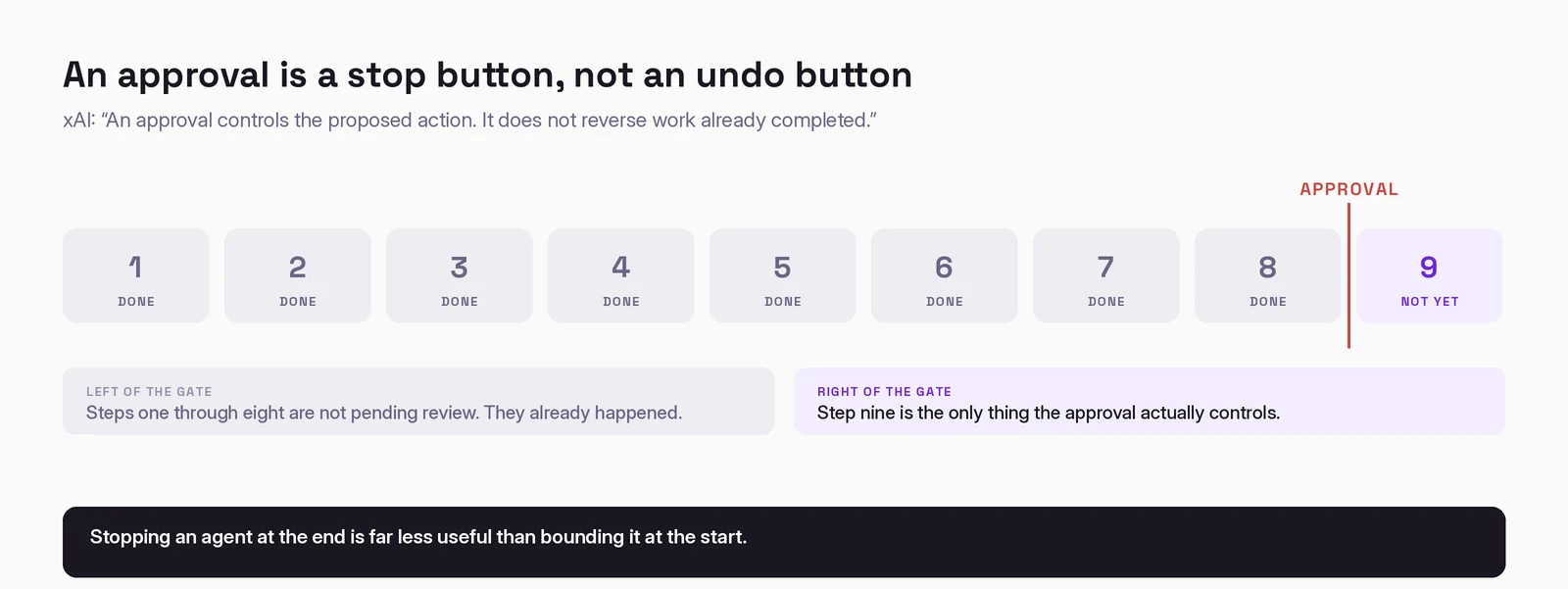
This is why the prohibition line in that prompt pattern matters so much. Stopping an agent at the end is far less useful than bounding it at the start.
Two related details, both from the docs. Auto Review, the automated rule layer, is model-based, the documentation says it "should complement, not replace, least privilege and explicit approval boundaries." An AI checking an AI is a useful filter, not a control. And deleting a Bot does not remove shared-computer files or browser sessions. Removing the persona does not remove its access.
How to set it up
xAI's own least-privilege guidance is sound, and it is the right place to start:
- Separate accounts, not separate Bots, whenever work genuinely must stay apart. The Bot roster is not a boundary; account and credential scoping is.
- Use scoped service accounts wherever the source system supports them, rather than signing in as yourself.
- Start read-only. Draft outputs first. Earn write access.
- Keep sending, publishing, purchasing, deletion, permission changes, production changes, and accepting legal terms behind approval. That is xAI's own list.
- Write narrow Auto Review rules around a known action and scope. The docs explicitly warn against broad rules like "allow everything in the browser."
- Set local computer execution to "Never allowed" unless a Bot has a specific reason to touch your local files. The default is "ask every time"; the documentation recommends stricter.
- Sign out when work ends, and revoke connectors at the source service. Deleting the Bot is not enough.
- Enter passwords, 2FA codes, and payment confirmations yourself via computer takeover. Never in chat.
The honest summary
Grok Bot is fast, capable, and genuinely useful on reversible work, research, drafts, reconciliation, monitoring, anything where being wrong costs a review cycle rather than a customer. It is still early beta, quotas are opaque, and the shared computer is a real constraint rather than a rough edge.
The thing to get right is not whether you trust the model. Model quality improves on its own schedule and is not your variable. What a confident mistake can reach is entirely your variable.
The teammates are real. The org chart is decoration. Build your permissions from the architecture, not from the metaphor.
Working out where AI actually fits in your marketing?
I write these while building the systems behind them: measurement, creative pipelines, and agents that do real work. Connect on LinkedIn and tell me what you are working on. That is where these conversations start.
Connect on LinkedIn